Payment Methods and Trust: How to Fix Checkout Abandonment
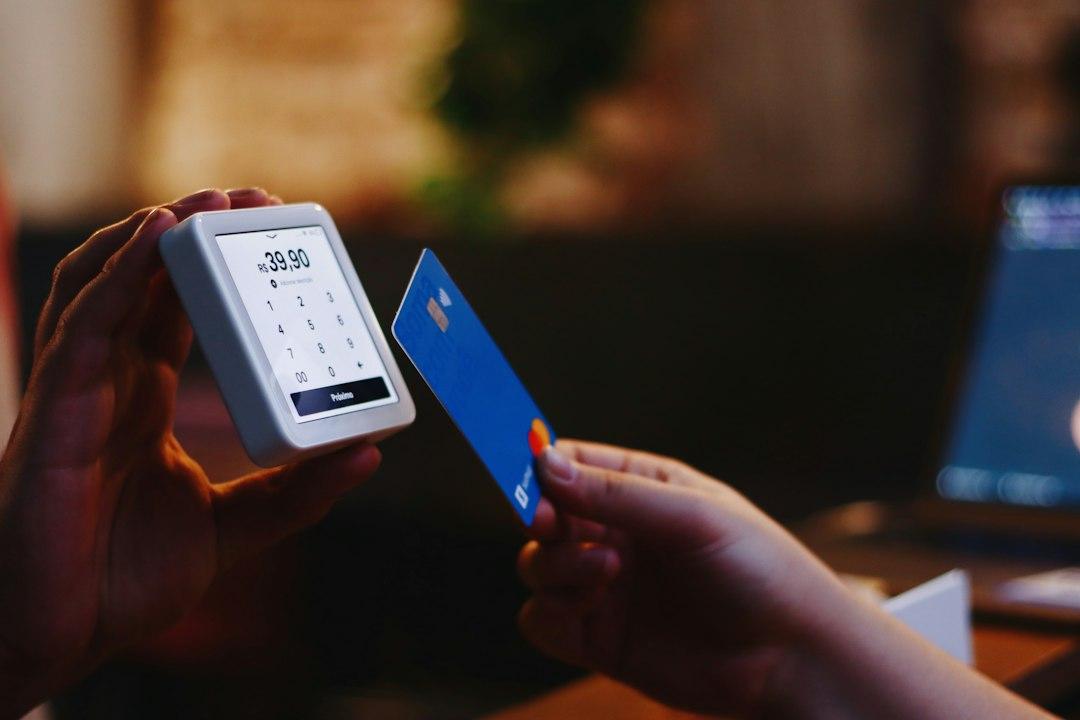
Checkout abandonment remains one of the most frustrating leaks in the ecommerce sales funnel. You spend resources attracting potential buyers through digital marketing, optimizing product pages, and nurturing intent, only to see customers walk away at the final hurdle. In Europe and North America, the average shopping cart abandonment rate hovers around 70%, with friction during the payment step accounting for nearly half of those lost sales.
Building an optimal checkout process requires a balance between technical efficiency and psychological reassurance. When buyers reach the final screen, any unexpected fee, missing local payment option, or unclear security symbol introduces doubt. To turn intent into revenue, you must address payment diversity, transparent pricing, and visual trust markers systematically.
The Real Reasons Customers Abandon at Checkout
To solve checkout drop-offs, you must first identify where the friction occurs. While user experience issues like slow load times or forced account creation play a role, payment-related friction is frequently the primary dealbreaker.
Data shows that modern online shoppers leave checkout flows due to specific, predictable triggers:
- Hidden costs revealed late: Unexpected shipping fees, taxes, or transaction surcharges added at the final step cause over 40% of drop-offs.
- Forced registration: Requiring customers to create a full account before seeing payment options adds unnecessary friction.
- Lack of preferred payment options: Shoppers rely on specific digital wallets, local debit schemes, or buy-now-pay-later (BNPL) services. If their preferred method is missing, they leave.
- Security doubts: Outdated design, missing SSL badges, or redirections to unfamiliar third-party domains erode trust instantly.
Addressing these obstacles requires strategic design improvements. If you want to optimize your store beyond the checkout stage, explore our full range of digital solutions to enhance your overall ecommerce architecture.
Diversifying Payment Gateways for Global and Local Audiences
Offering only standard credit card fields is no longer sufficient for modern ecommerce stores. Payment preferences vary significantly depending on demographics and geographic markets.
In Western Europe, for instance, localized options dominate. In the Netherlands, iDEAL handles the vast majority of online transactions, while Klarna leads BNPL adoption across the Nordics and Germany. In Spain, Bizum has grown rapidly for mobile transactions. If your platform targets international buyers without supporting regional gateways, your conversion rates will suffer.
Essential Payment Categories to Implement
- Credit and Debit Cards: Integrate major card networks (Visa, Mastercard, American Express) via reliable gateways like Stripe or Adyen.
- Digital Wallets: Express checkouts like Apple Pay, Google Pay, and PayPal allow users to complete purchases in seconds without manually entering card details or shipping addresses.
- Buy Now, Pay Later (BNPL): Solutions such as Klarna, Scalapay, or Clearpay lower the barrier to entry for higher-ticket items by spreading costs over equal installments.
- Instant Local Payments: Ensure regional payment options are dynamically presented based on the customer's IP address or selected shipping destination.
Integrating multiple gateways should not mean a cluttered interface. Smart checkout flows detect the user's device and location to show the most relevant payment buttons prominently, keeping the UI clean and focused.
Building Micro-Trust at the Final Step
Trust is fragile at the point of payment. Even minor design oversights can make a legitimate store look untrustworthy. Micro-trust elements reassure buyers that their financial data is safe and that your business is reliable.
Start by making security visible. Display recognized security badges near the card input fields, such as Norton Secured, PCI-DSS compliance labels, or SSL certificate indicators. Avoid low-resolution images; crisp, modern vector icons convey professionalism.
Clear policies are equally vital. Place direct links to your refund policy, shipping timelines, and customer support channels right inside the checkout accordion or sidebar. Knowing that an item can be returned easily removes the psychological risk of making a purchase. To refine your broader conversion strategy, check out our guide on How to Increase Your Online Store Conversion Rate in 2026, where we examine user psychology across the entire buyer journey.
Optimizing the UI: One-Page vs. Multi-Step Checkouts
Layout design directly impacts how quickly a customer completes a transaction. The debate between single-page and multi-step checkouts comes down to clarity and input complexity.
Single-page checkouts condense address fields, shipping methods, and payment details into one screen. This layout works well for mobile shoppers and simple catalog purchases because it reduces page reloads. However, if not designed carefully, single-page forms can look overwhelming.
Multi-step checkouts break the flow into logical segments: Contact info -> Shipping details -> Payment. This structure works best for complex orders, custom products, or high-value B2B transactions. The key requirement for multi-step flows is a clear progress bar showing exactly where the buyer is and how many steps remain.
Whichever structure you select, implement these core functional enhancements:
- Address Auto-Complete: Use the Google Maps Places API to auto-fill street addresses, reducing typos and saving time on mobile devices.
- Inline Data Validation: Show real-time checkmarks as users fill out fields correctly, rather than reloading the page to highlight errors after submission.
- Guest Checkout by Default: Allow users to complete their order using only an email address. Offer account creation on the order confirmation screen after the purchase is finalized.
Fixing your checkout interface is a crucial component of broader funnel optimization. For strategies on re-engaging users who leave before paying, read our detailed post on Abandoned Cart: How to Recover Lost E-Commerce Sales.
Auditing and Testing Your Payment Infrastructure
Optimizing your checkout is not a one-time task; it requires ongoing monitoring and technical auditing. A minor technical failure in a gateway API can cost thousands in lost revenue before it is detected.
Establish a monthly testing routine for your payment funnel:
- Test real transactions: Run test orders across mobile browsers, desktop operating systems, and native app environments using different payment methods.
- Monitor gateway success rates: Use your analytics tools to track failure rates per payment provider. If a specific gateway declines transactions at an unusually high rate, investigate API connectivity issues or strict fraud filters.
- Analyze step-by-step drop-offs: Use tools like Hotjar or Google Analytics 4 custom funnel reports to identify the exact field where users stop typing.
By taking a data-driven approach to checkout performance, you can systematically remove friction, protect your profit margins, and deliver a seamless customer experience.
Reviewing your recent platform performance in our portfolio of successful projects demonstrates how tailored development choices directly drive revenue growth for retail brands.
Transform Your Checkout Experience Today
Reducing checkout abandonment requires a combination of seamless UX design, localized payment gateways, and transparent trust signals. Small design adjustments often deliver immediate conversion gains.
If you want to optimize your ecommerce platform, lower cart abandonment, and scale your online sales, we are ready to assist. Get in touch with Companies Webs today to discuss your project with our web development and digital strategies team.